
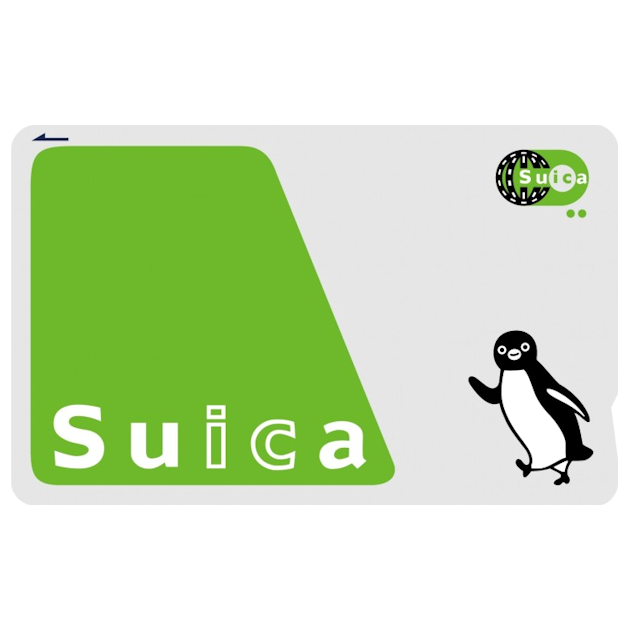
If you do exactly one piece of trip admin before flying to Japan, make it this: put a Suica card in your phone. It takes five minutes on the couch, costs nothing beyond the balance you load, and from the moment you land, your phone or watch taps you through every train gate, bus, vending machine and convenience store in the country’s big cities. Here is the complete setup, the traps, and the questions everyone asks.
What Suica actually is
Suica is JR East’s rechargeable transport card, one of a family of interchangeable IC cards (Pasmo, Icoca and friends) that work across essentially all city trains, subways, buses, convenience stores, vending machines, coin lockers and a growing share of cafes and restaurants nationwide. You load money on, you tap, it just works. The physical cards had their moment of fame in 2023 when a chip shortage paused sales; the digital version never blinked, and it is now flatly the better product for travellers.
Setting up on iPhone and Apple Watch
The iPhone setup is gloriously simple and works from Australia before you fly:
- Open the Wallet app and tap the + button.
- Choose Transit Card, then find Suica in the list (searching “Japan” gets you there fast).
- Pick an opening balance, ¥1,000 to ¥3,000 is plenty to start, and pay with the card already in your Wallet.
- Done. The card appears in Wallet and is ready the moment you land.
Two settings worth knowing. First, Express Transit is on by default for transit cards, which means no Face ID, no unlocking, no even waking the phone: just hold it near the reader and walk. Second, iPhones keep Express Transit working in power reserve for around five hours after the battery “dies”, which has rescued more late-night journeys home than anyone will admit. If you wear an Apple Watch, you can keep Suica on the watch instead and tap with your wrist.
Setting up on Android
Google Wallet supports Suica on recent phones. Add a payment card first if you have not, then add Suica from the transit section, load a balance and you are away. One honest caveat: some Android phones sold outside Japan have regional NFC quirks, so set it up and test the card shows before you travel. If your phone will not cooperate, the fallback is easy: pick up a physical Welcome Suica at the airport machines on arrival, valid for 28 days, no deposit, tourist-designed.
Topping up
Top up from your seat on the train in about ten seconds: open Wallet, tap the card, add money from your stored payment card. No machines, no queues, no counting change. If you prefer machines, every station has them, most with English menus, and physical cards can be loaded with cash at any convenience store register too.
What Suica covers, and what it does not
| Tap and go with Suica | Needs a ticket or pass instead |
|---|---|
| City trains, subways and buses in Tokyo, Osaka, Kyoto and most major cities | Shinkansen (bullet trains) between cities |
| Convenience stores, vending machines, station shops, many cafes | Limited express trains and airport expresses (mostly) |
| Coin lockers at stations | Rural lines in some regions, where paper tickets persist |
The pattern is simple: Suica sweats the small stuff, and the big intercity legs want a proper ticket or a rail pass. Price the long hauls before you fly, either a Japan Rail Pass if your route earns it (two minutes with our calculator answers that), or single Shinkansen tickets booked in AUD, and let the phone handle everything in between. Between the two, you can cross the entire country without touching a paper ticket.
The traps worth knowing
The card is device-locked, not cloud-magic. Moving Suica between devices is possible but fiddly, so set it up on the phone you are actually taking. Refunds are a Japan-side process. Leftover balance cannot be cashed out from Australia, so run it down on snacks and lockers before you fly home, which nobody has ever described as a hardship. One card per person. Each traveller needs their own Suica on their own device; kids without phones do brilliantly with a physical Welcome Suica each. Regional day passes are sometimes better. If you are doing six-plus rides in one city day, a local subway day pass can beat tap-and-go pricing; do the maths on heavy sightseeing days.
Frequently asked questions
Can I set up Suica before arriving in Japan?
Yes, and you should. The whole setup works from Australia, and landing with a loaded card means your first airport-to-hotel journey is a tap rather than a ticket-machine puzzle with a suitcase between your knees.
Suica or Pasmo, does it matter?
For travellers, functionally no. They are interchangeable everywhere it counts. Suica has the smoothest Apple and Google Wallet support, which is why it is the default recommendation.
What happens if my phone battery dies?
On iPhone, Express Transit keeps working for roughly five hours in power reserve. On Android it varies by phone. Either way, keeping a ¥1,000 note as backup has saved many a traveller’s evening.
Does Suica work in Kyoto and Osaka?
Yes. The IC card families are fully interoperable across all the major city networks, so one card covers the whole classic itinerary.

Limited Offer: Get your FREE Japan Travel Guide - Valued at $9.99
Ensure you get the most out of your trip to the land of the rising sun with our comprehensive 249-page Japan Travel Guide.